How it works
A control plane in the cloud. Your machine does the work.
Office Cockpit is built like a small Kubernetes: a plane that holds what you want, and nodes that make it happen.
HTTPS
node dials out
Three parts
Plane, nodes, app
The control plane
Runs in the cloud. Syncs your GitHub and Jira sources, keeps your views, runs triggers and workflows, sends notifications, and hands jobs to your nodes.
Nodes
occ node on your Mac or Linux box. It connects out to the plane, says what it can do (which agents, which checkouts), takes jobs, and reports what really happened.
The cockpit app
The web app you open in any browser or add to your home screen — plus occ on the command line for scripts and the terminal.
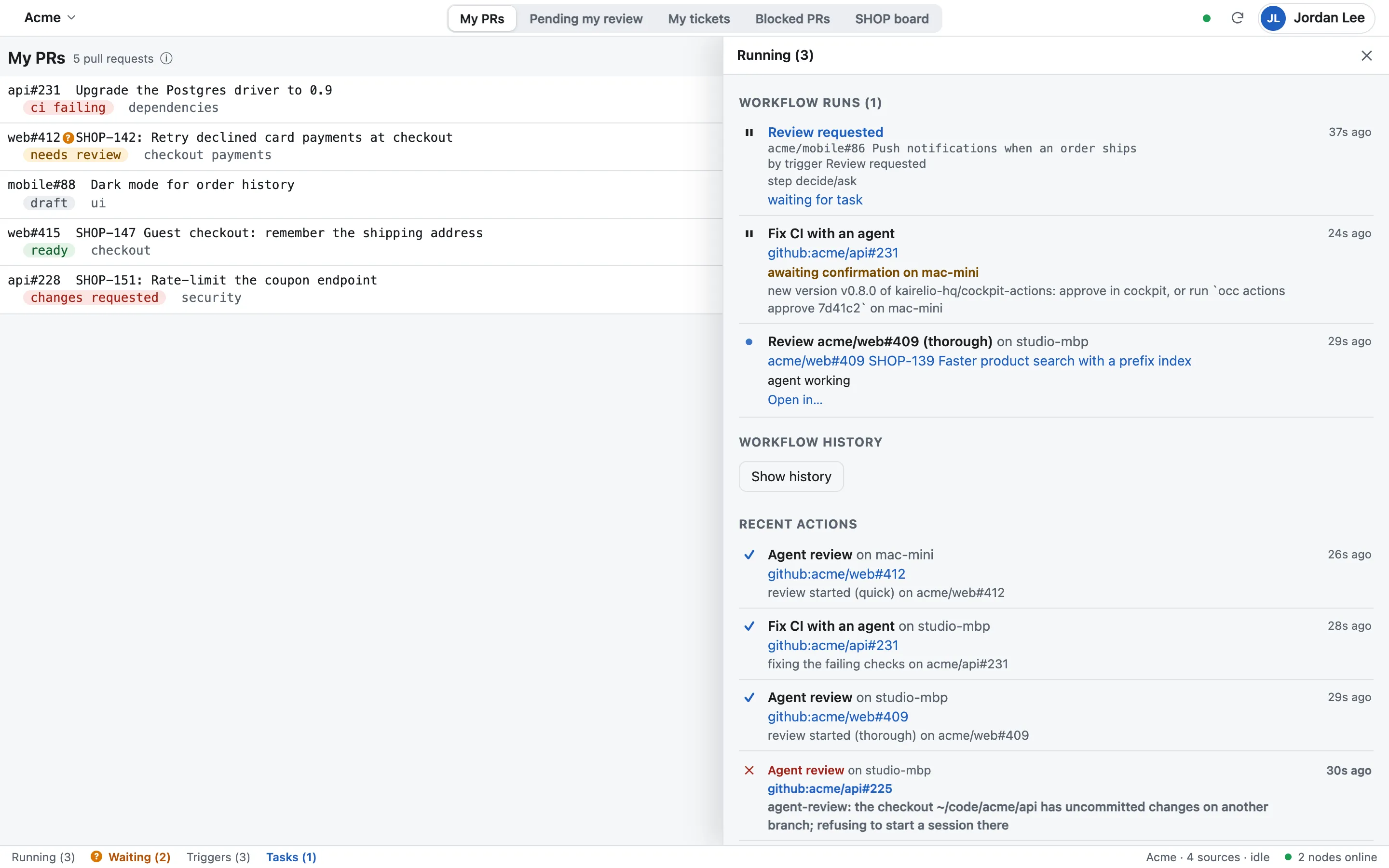
See every machine, what it can run, and approve the work before it starts.
A trigger fires, the workflow summarizes the PR, asks you, and starts an agent.
Principles
Boring, reliable ideas from infrastructure
Desired versus observed
“Open a session for acme/app#42” is what you want; the node reports what actually happened — the session id, the Remote Control link, or the error.
Leases, not assignments
A node takes a job on a lease. If it goes quiet, the job goes back to the queue.
Idempotent by default
Every job carries a key, so a double tap opens one session, not two.
Signed, typed jobs
A node accepts only the job kinds it knows, signed by the plane it registered with.
Setup, step by step
Sign in
At cockpit.kairelio.com, with Google.
Connect
GitHub (OAuth, a token, or your Mac’s gh login) and Jira (API token or OAuth). The cockpit measures which organisations and projects each credential reaches.
Add sources
Repositories, GitHub Projects or JQL queries, in a space.
Register your Mac
brew install kairelio-hq/tap/occ, then occ register. Approve the code in the browser; the node runs as a login service.
Add to Home Screen
On iPad and iPhone, then turn on notifications.
Requirements
What you need
A Google account
Sign-in is Google only. No password to manage.
For agent sessions
macOS or Linux, Claude Code or Codex, and your repositories checked out.
A modern browser
Recent Safari, Chrome, Edge or Firefox. Notifications on iPhone and iPad need iOS / iPadOS 16.4+ and the app on the home screen.
Ten minutes to your first cockpit
Sign in, connect, register your Mac.