Features
Built for developers who run agents
What Office Cockpit does, and the details that make each part work in a real day.
See everything in flight
Connect once, follow exactly what you care about
Spaces
Separate work, side projects and the open-source repos you maintain. Each space has its own sources, views and people.
Sources
A repository, a GitHub Project, or a Jira JQL query. Each syncs on its own interval and backfills history when you add it.
Views you write
Filter, group and sort with a short spec. Start from the built-in views, save your own, and export a view as a template to share.
Pull request ↔ ticket links
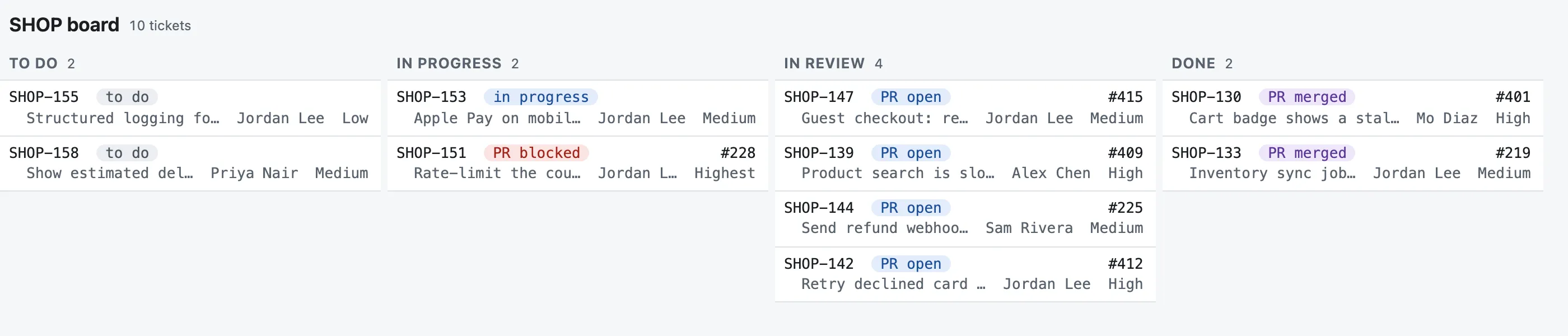
Office Cockpit finds which pull request belongs to which ticket from branch names, titles and links, and shows them together.
Review status at a glance
Approved, changes requested, waiting on you, re-requested — without opening GitHub.
Updated items
Anything that changed since you last looked is highlighted until you open it.
GitHub Projects status
See and change an issue’s project status, right from the item.
Works offline
The app keeps a local copy, so it opens instantly and still shows your work on a plane.
Panes
Every list you follow, on one screen
Tile a view like tmux
Split a view into up to 12 panes, side by side or stacked, sized in percent. No gaps, no scrolling page.
Each pane, its own rules
A list or a board, with its own filter, sort, row layout and title.
Zoom into one
The zoom button fills the page with one pane; Esc puts the layout back.
One pane at a time on a phone
Below 600 pixels wide, panes show full size, one by one, with ‹ › to move between them.
A layout editor, not a config file
Select a pane to split, remove or swap it, and drag a divider to resize. Conditions are built from menus.
Share the whole layout
Export a view as a template; a teammate imports the same panes and filters into their space.
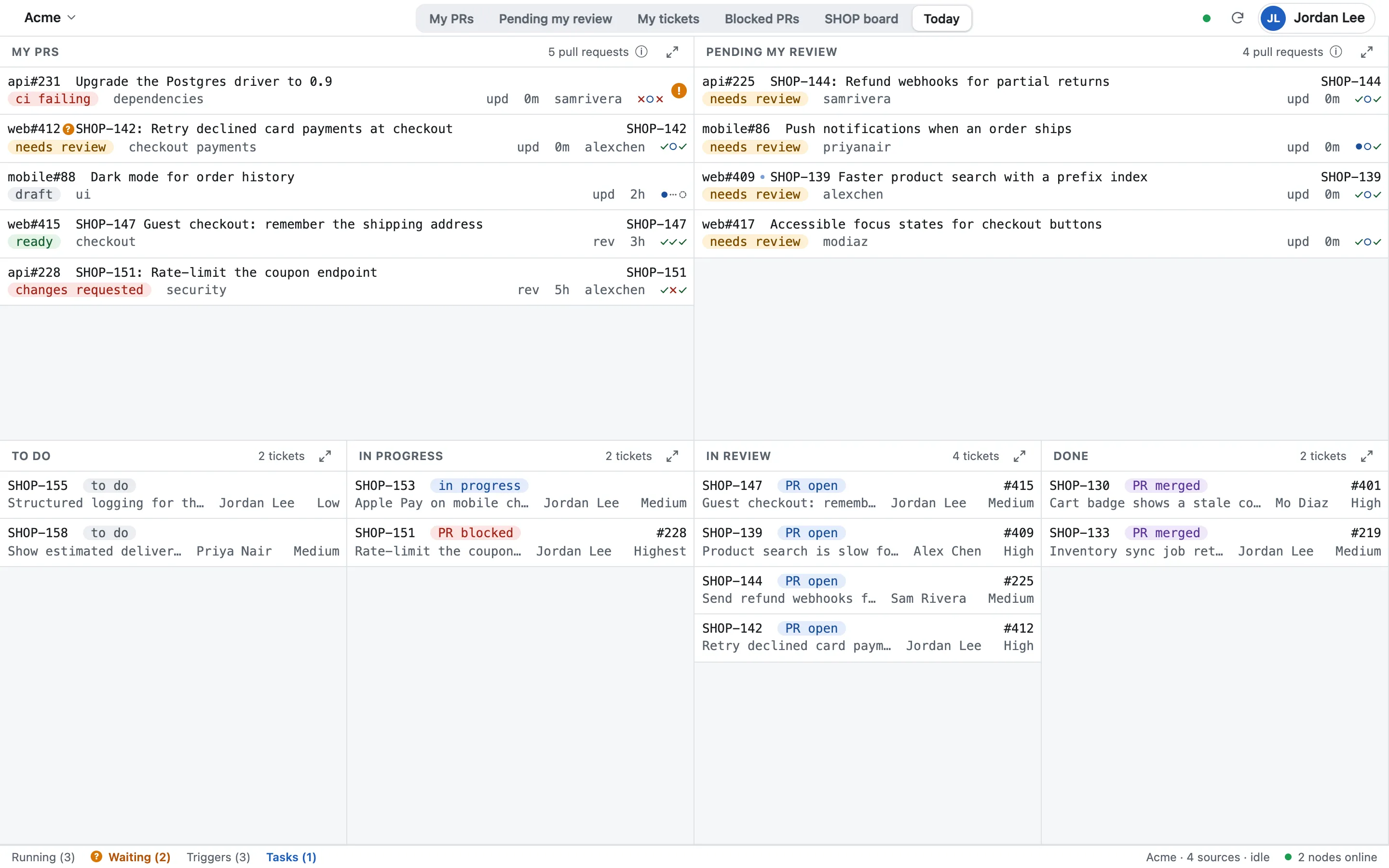
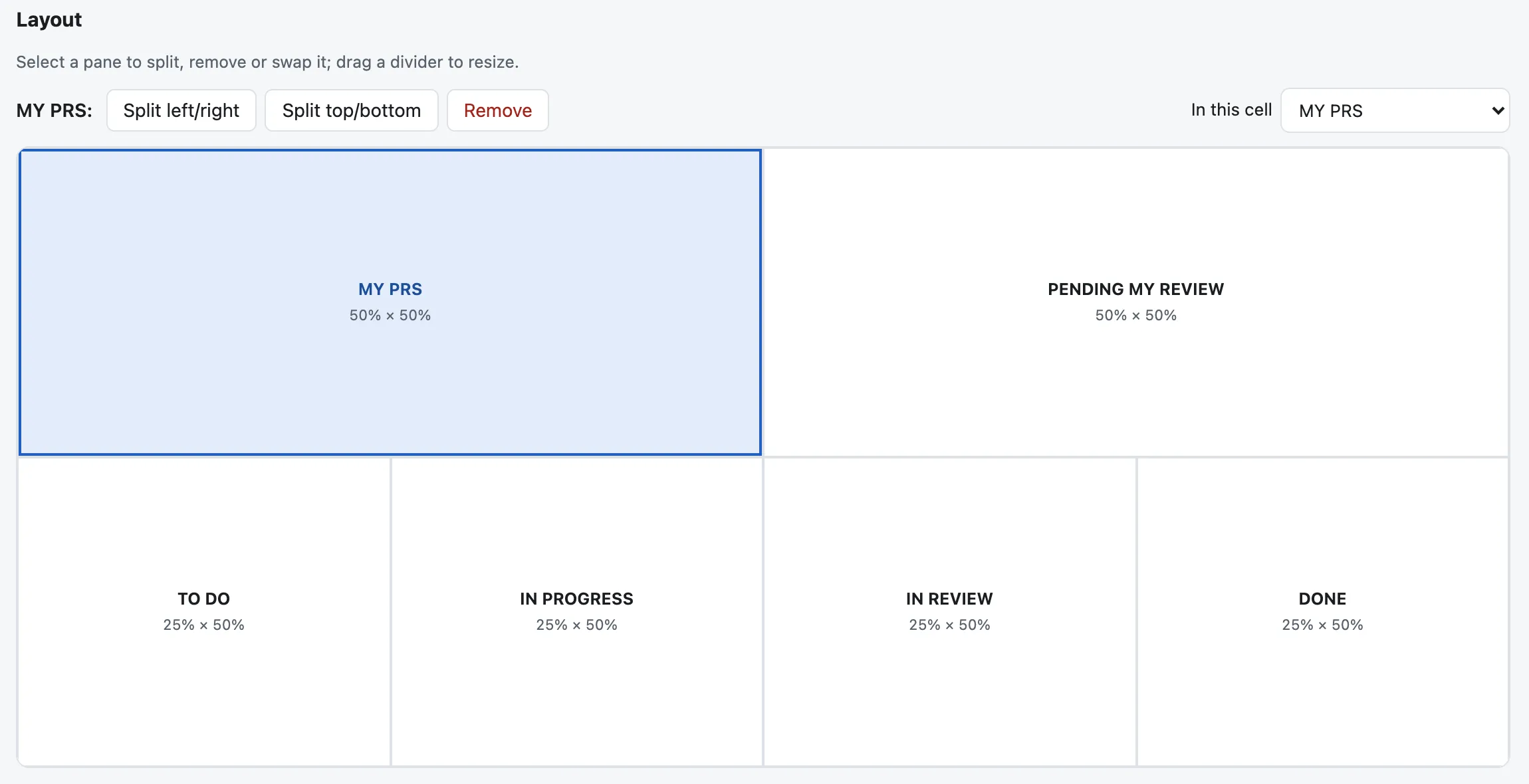
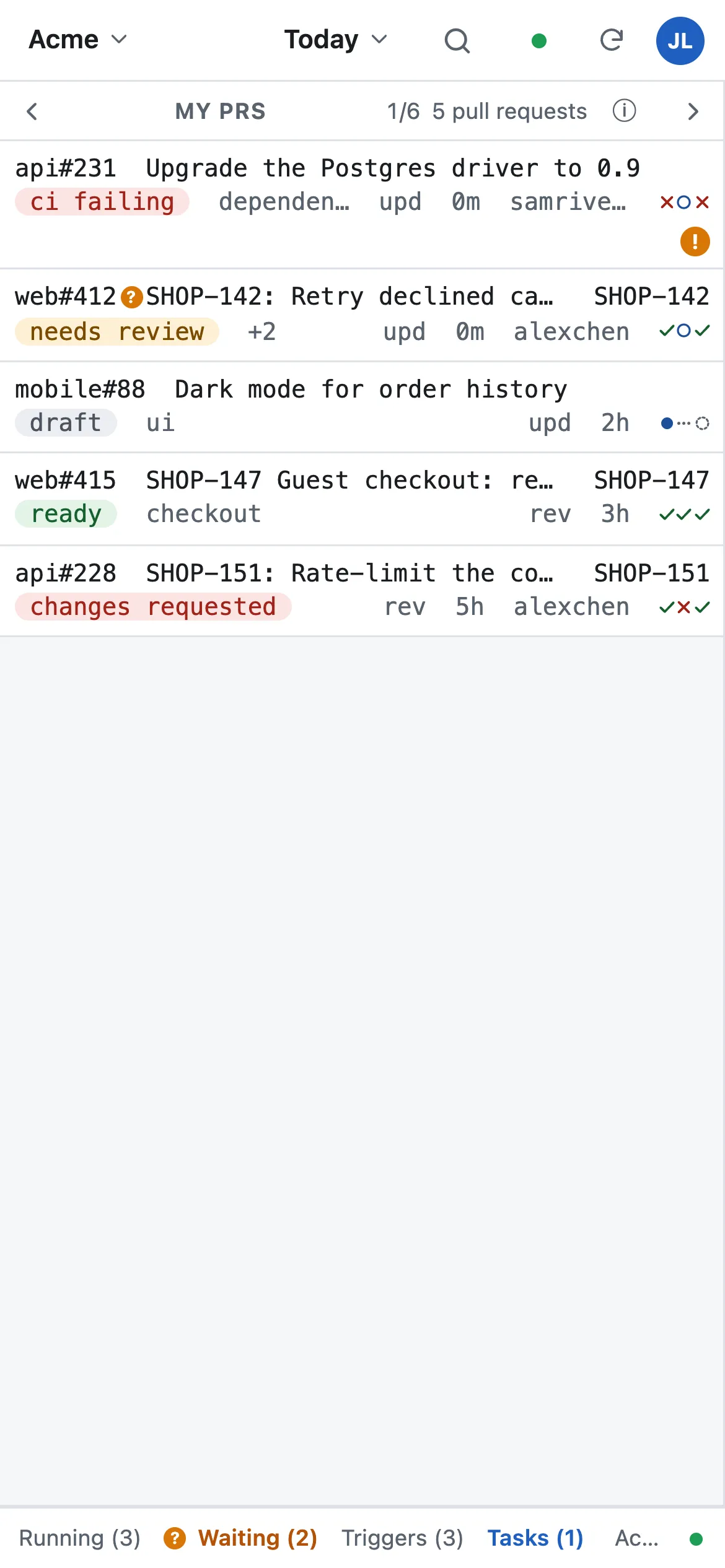
Tile a view like tmux, zoom into one pane, and lay it out in Settings.
Your machines
Nodes: the machines that do the work
Register in one command
Install occ with Homebrew and run occ register; you approve the machine in your browser.
See what each one can do
Its tools and versions, its agents and models, its labels, and the job kinds it accepts.
Quota at a glance
Claude and Codex usage per node, for the last five hours and the week.
Labels pick the machine
Tag a node code-review or ci; a workflow job runs only on nodes with the label it asks for.
Trust you set per node
Allow remote execution or not, and require a passkey, one tap, or the node’s own console.
Asleep means absent
A node that is offline is simply not offered; its unfinished jobs go back to the queue.
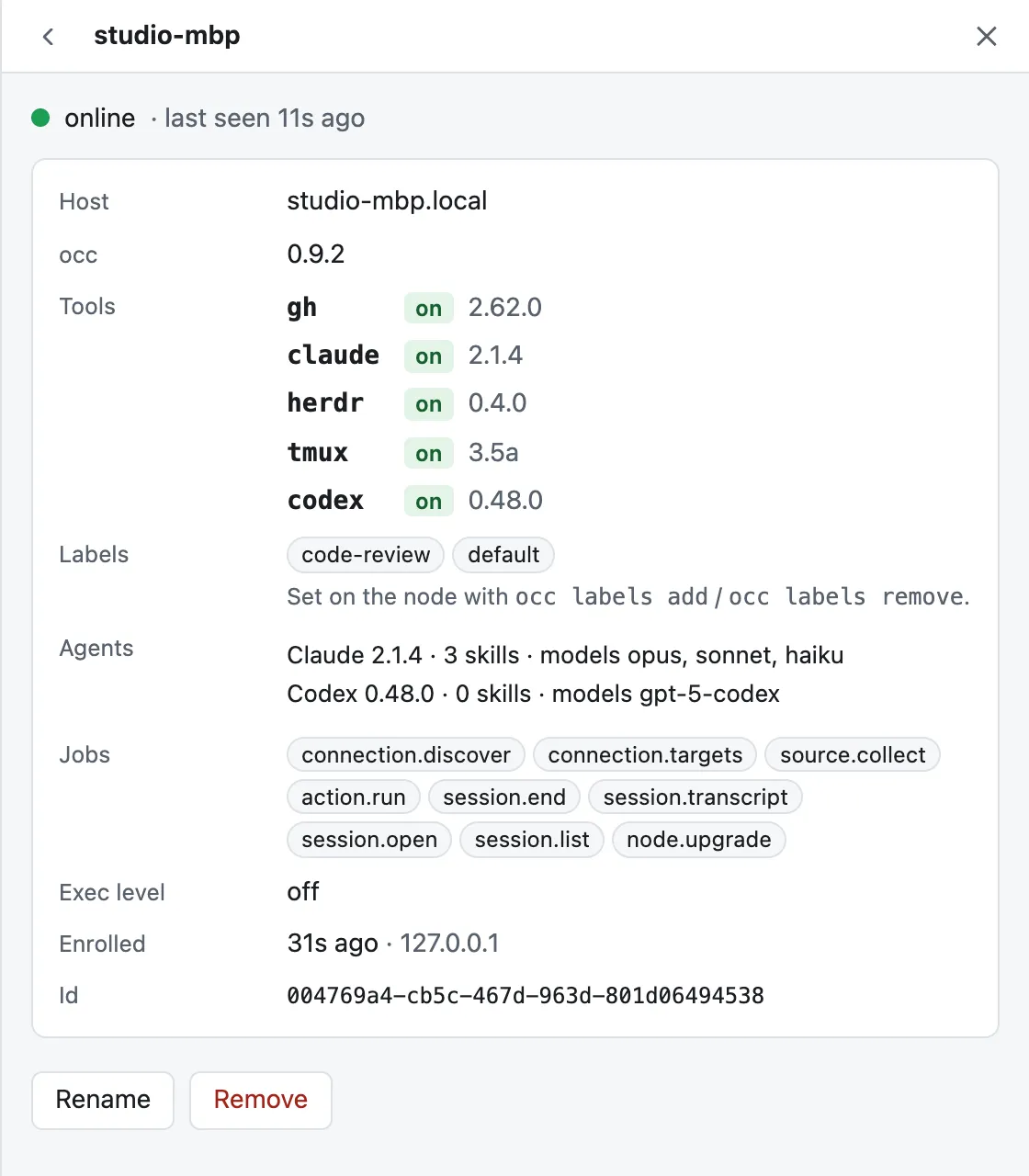
See every machine, what it can run, and approve the work before it starts.
Drive your agents from anywhere
Your Mac does the work. The cockpit tells it what to do.
Start from an item
Open a Claude Code or Codex session for a pull request or ticket, in the right checkout, with one tap.
Every session, every machine
See which sessions are running, waiting for input or done, across all your registered nodes.
Answer from your phone
When a session asks a question, you get a notification with the question in it, and a Remote Control link to answer.
Your checkouts, found for you
occ finds the repositories on your machine by their git origin; you don’t map paths by hand.
Asleep means absent
A Mac that’s asleep simply isn’t offered. Jobs held by a node that goes quiet return to the queue.
No double starts
Every job carries an idempotency key, so a double tap never opens two sessions.
Automate the follow-ups
The chores that slip between tools, done on time
When a pull request I’m reviewing gets new commits → re-request my review and tell me.
Triggers on changes
Every synced field change is logged: a status moved, a review was requested, a new commit landed. A trigger watches for the change you name.
Workflows in YAML you already know
Steps, if: conditions and expressions in a GitHub Actions-compatible subset. Versioned on every save, with rollback.
Actions that do real things
Comment, request reviewers, transition a Jira ticket, set a GitHub Project status, start an agent session, or run a script step.
Tasks that ask you
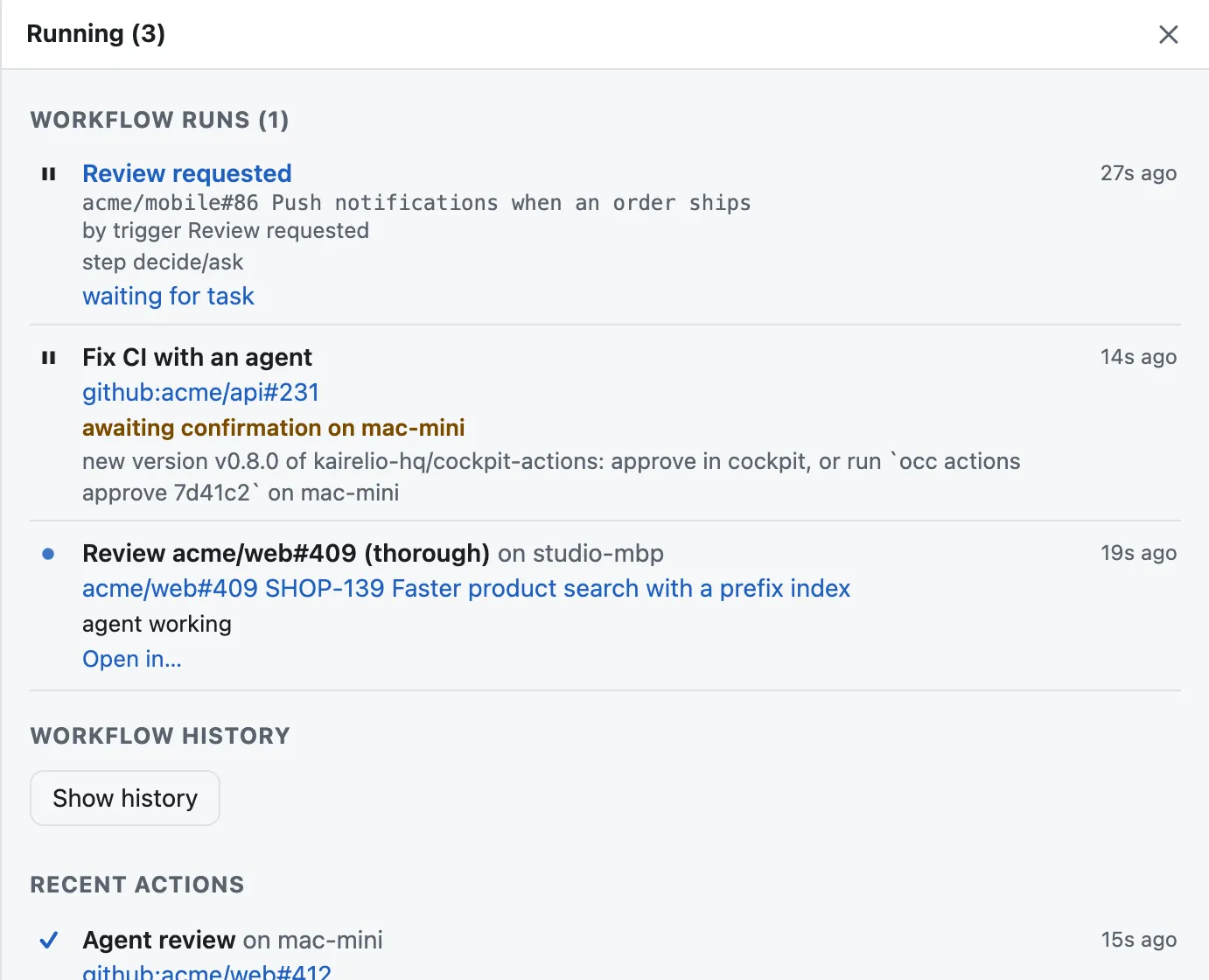
A workflow can stop and ask for your decision; you answer from the notification.
Run history
See every run and each of its steps, with the reason it started.
Pause all
One switch pauses every trigger when you need quiet.
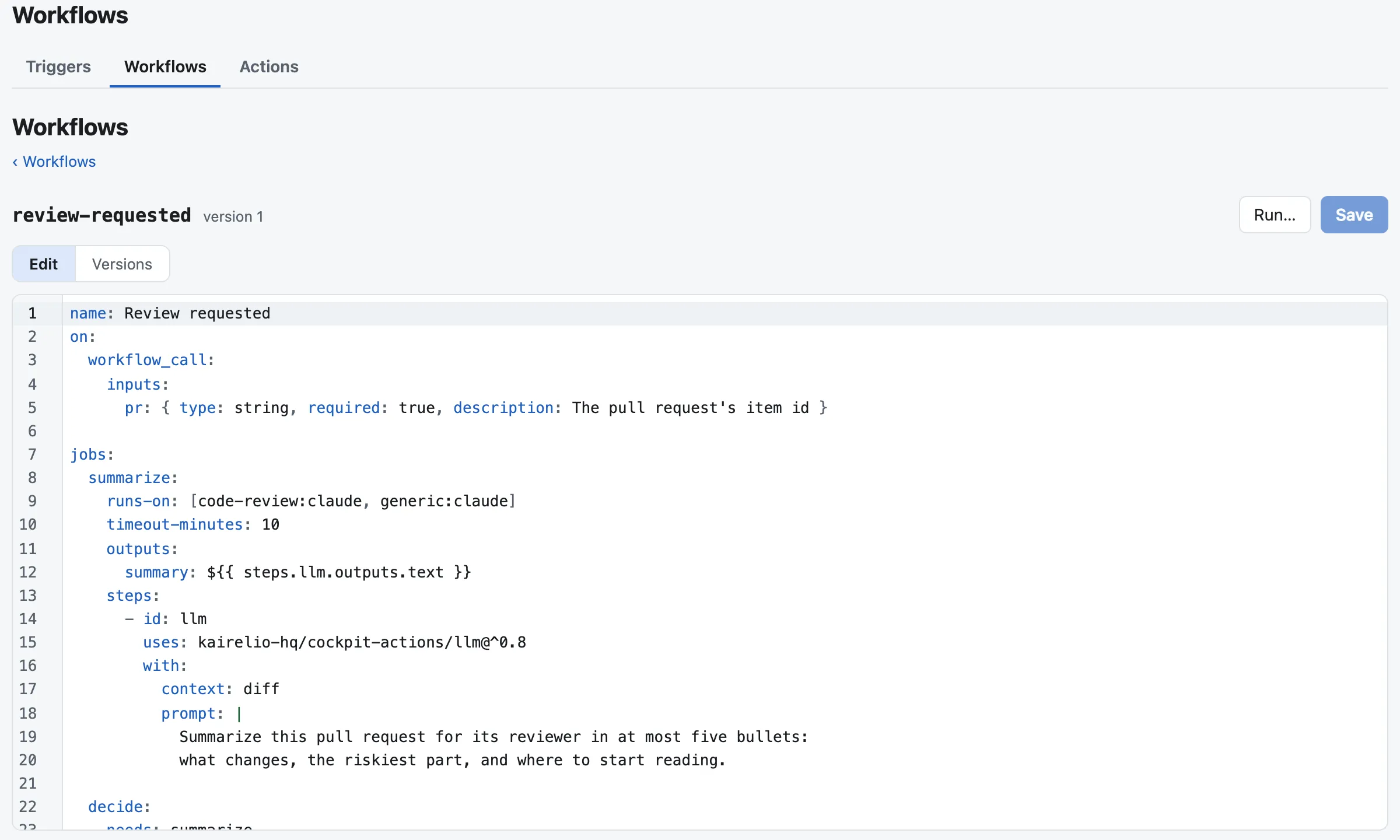
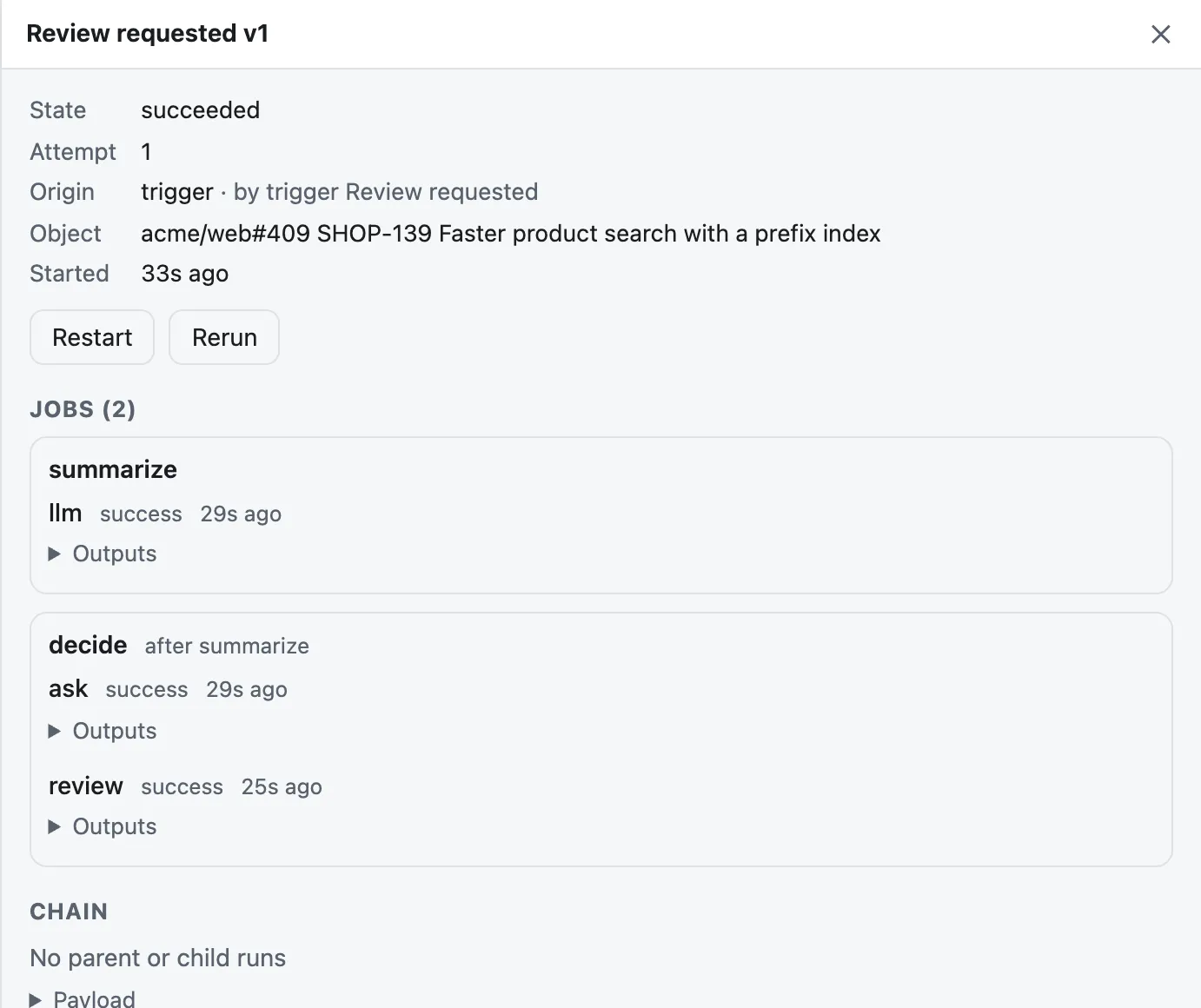
A trigger fires, the workflow summarizes the PR, asks you, and starts an agent.
Know the moment you’re needed
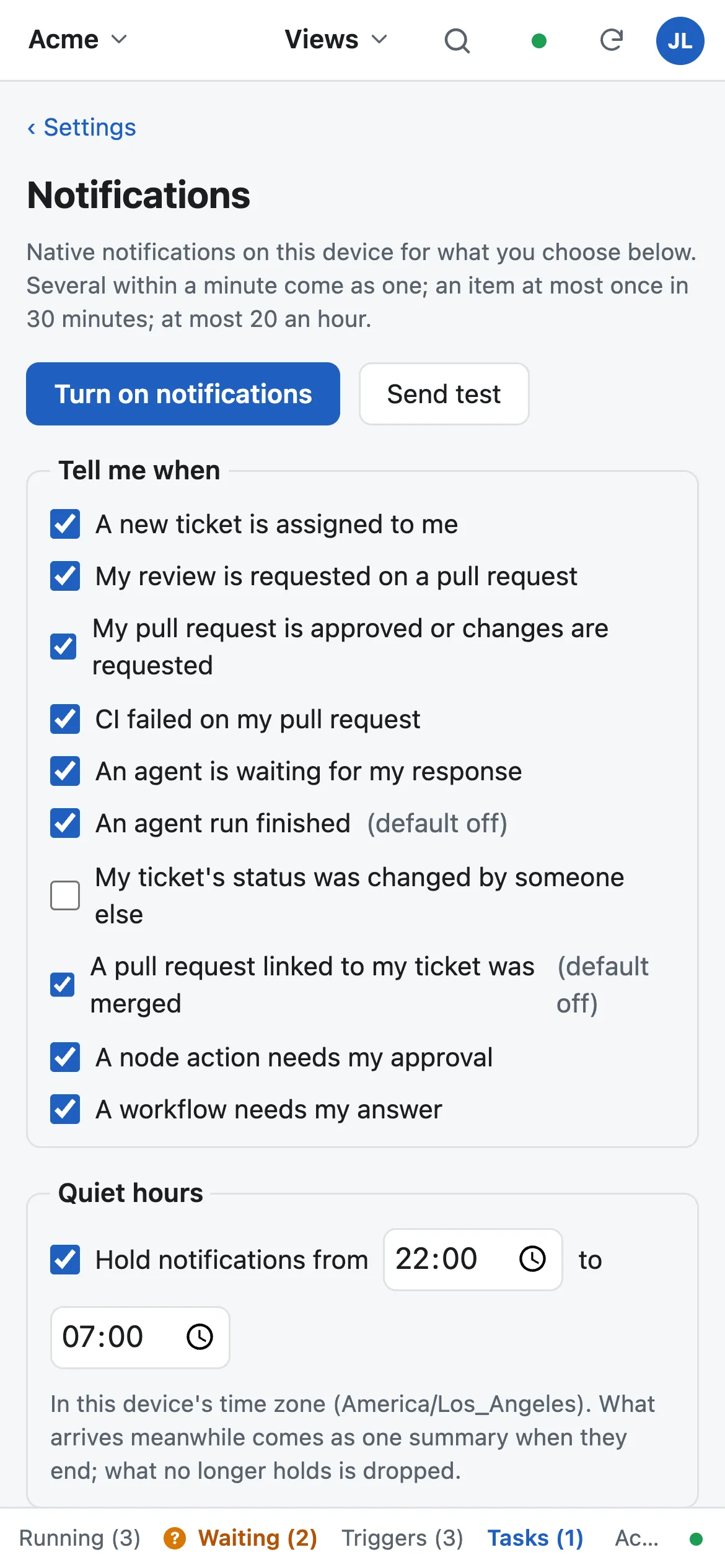
Native notifications, without an app install
On iPhone, iPad and Mac, from the web app. Batched within a minute, quiet hours in your time zone, an hourly cap with a summary — and dropped when no longer true.
Review requested
Of you, or re-requested after you reviewed. On by default.
Your PR reviewed
Approved or changes requested. On by default.
Checks failing
On your open pull request. On by default.
Ticket assigned
A ticket becomes yours. On by default.
Agent waiting
With the agent’s question in the body. On by default.
Approval needed
A node action waits for your approval. On by default.
Workflow task
A workflow waits for your answer. On by default.
Agent finished
A session is done or failed. Off by default.
Ticket status / linked PR merged
Off by default; turn on what you want.
Secure by design
It runs code on your machine, so it is careful
Nodes dial out
No inbound port, no SSH key, no tunnel to your Mac.
Signed, typed jobs
Never an arbitrary command from the network.
Passkey approvals
Require approval for remote execution, confirmed with a passkey.
Try it on your own work
Sign in with Google. Pro features are free during early access.